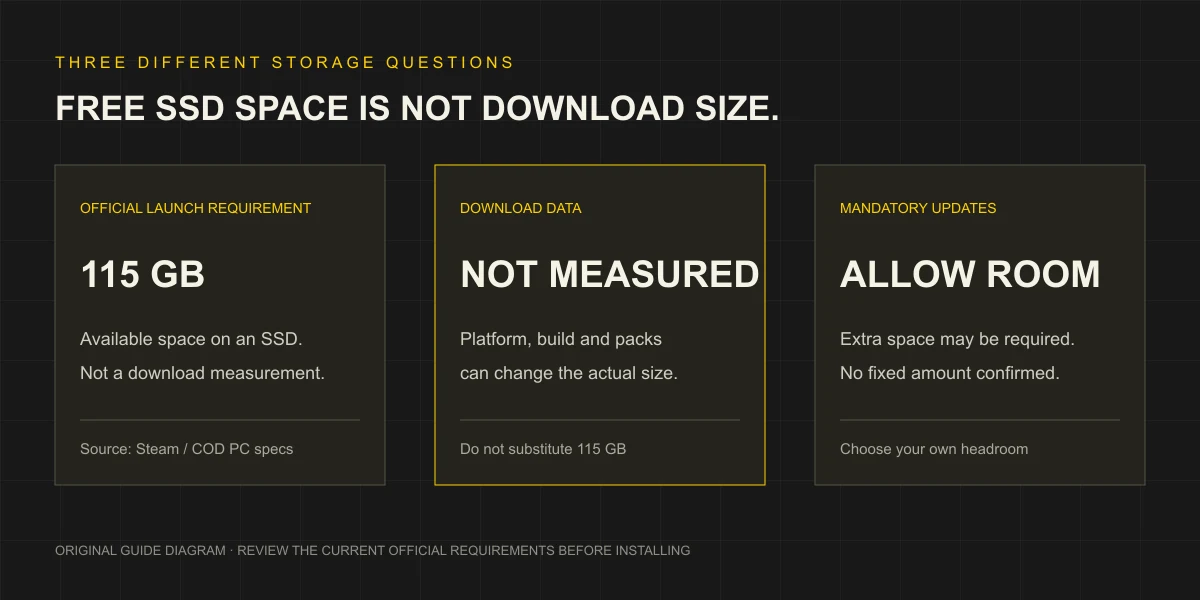
MW4 Download Size vs Required SSD Space
For MW4 download size, distinguish the official 115 GB of available SSD space at launch from an exact download total. Check Steam’s live estimate for your installation. Official Steam listing.
| Measurement | What it describes | What is confirmed here |
|---|---|---|
| Required available storage | Space the official specification asks you to have | 115 GB on an SSD at launch; updates may need more |
| Download traffic | Data transferred for the selected installation or update | No fixed measured total published in this guide |
| Installed footprint | Space used after a particular installation finishes | No current measured total published in this guide |
| Temporary installation/update space | Room Steam may need while applying files | Check the current operation in Steam; no universal peak is claimed |
For a data cap, use the current download estimate. For a nearly full SSD, check the destination and current update operation; the launch figure does not cover every future patch.
Before You Install Through Steam
Start with the Steam account that owns the game. Confirm that you bought a complete game edition, or that the required base game is present if you bought an upgrade. The price guide explains why the Vault Upgrade should not be confused with a full-game purchase.
Then follow this preparation order:
- Check the PC system requirements, including Windows and the separate requirements for online play.
- In Steam, open the Library and select MW4. Begin the installation from the game entry.
- Review the destination offered by Steam and the space estimate shown for that install. Select an SSD library with sufficient available space.
- Allow the download and installation to finish. If Steam is still applying files, treat that as part of the operation rather than assuming an idle-looking network graph means completion.
- Before attempting online modes, address any specific security or account prompt using the appropriate guide.
Use the installation route attached to your official purchase. Complete the account checks below before starting online modes.
Free Space and Move a Steam Library
Steam has a storage manager for checking installations and moving games between library drives. Open Steam → Settings → Storage. Review which drive contains the game and which destination you want to use. If you are moving an existing installation, select the game and use Move, then choose the destination drive. Steam’s official installation and moving guide.
Use those controls rather than dragging game folders while Steam is working. Check that the destination SSD is available and has room, then confirm Steam’s library location after the move before retrying.
For a space-shortage warning, first identify the affected drive. Review other installed games through Steam’s storage manager and decide which ones you no longer need locally or can move elsewhere. Do not delete unfamiliar game, Windows or account folders in an attempt to hit a target number. If another Steam game shares the drive, allow for its updates as well.
If the Download or Install Stops
Match the next action to the symptom you can see:
| Symptom | What to check first | Next step |
|---|---|---|
| Not enough disk space | Destination drive and the current Steam space estimate | Review Storage, free space or move to a suitable SSD |
| Download or update has not finished | Steam’s current operation and its visible error | Follow the relevant Steam Support entry for that error |
| Installed files appear incomplete or damaged | Steam’s file-integrity check | Use the verification steps in the launch guide |
| Secure Boot or TPM warning | The warning’s exact wording | Open the security-check guide |
| Installation completes but the game crashes | When it crashes and any exact error | Use troubleshooting by symptom |
Online Accounts and Progression
MW4 online play requires an Activision account. The game supports crossplay and cross-progression: online progress is stored on that account and can continue on other platforms linked to it. Use the same Activision account you intend to keep, and check ownership separately for each platform. MW4’s official account and cross-progression explanation.
Check Linked Accounts in your official Activision profile before making changes. Moving Steam to a different Activision account does not transfer the original progress. Activision normally permits unlinking only once every 12 months, with further security restrictions possible, so do not use unlinking as an installation fix. Official account-linking rules.
Local space check
Check your SSD space
Compare the 115 GB launch SSD baseline with your available space. You can add your own extra reserve; it is not an official update allowance.
Estimate = 115 GB + your reserve. Shortfall = the estimate minus available space, with a minimum of 0 GB.
Enter your space and select Check space.
Space arithmetic only: this does not confirm current update needs, installation peak space, other requirements or whether the game will run.
Your values stay in this page while it is open. They are not saved or sent to analytics.
QUICK ANSWERS
Download & SSD space: common questions
Is the MW4 download exactly 115 GB?+
No. The official number describes available SSD space required at launch. This guide has not measured the current download traffic or installed footprint for a particular selection of game files.
Does MW4 require an SSD?+
The official storage description specifies an SSD with 115 GB available at launch. Check the current Steam estimate too, because updates may increase the space needed.
Can I move an installed Steam copy to another drive?+
Steam provides a Storage manager. Select the game in Steam Settings, Storage and use Move to choose another library drive. Confirm the destination is an SSD with enough available space.
What if the installation finishes but the game will not launch?+
Use the launch-troubleshooting guide to separate file problems, security warnings and account prompts. The storage requirement alone does not identify the cause of a launch failure.
Do I need an Activision account to play MW4 online?+
Yes. Activision says MW4 online play requires an Activision account. Check that your intended Steam account is linked to the correct Activision account before starting; a completed Steam download does not complete that account step.
Does MW4 support crossplay and cross-progression?+
Activision confirms both. Online progression is stored on the Activision account and continues on other platforms linked to that same account. Linking Steam to a different Activision account does not transfer the original progression; check game ownership separately for each platform.
EVIDENCE & UPDATES
Sources behind this guide
Official information is separated from our editorial recommendations. Reviewed on October 23, 2026; updates may change the requirements or terms.
- Modern Warfare 4 on Steam MW4 Steam product details, purchase requirements and launch specifications. Prices depend on region; current USD and HKD checkout quotes remain unverified.Source checked
- Modern Warfare 4 PC Trailer, Tech Updates, and More Publisher PC specifications and 115 GB available SSD space. Its recommended RTX 3060 Ti differs from Steam’s reviewed RTX 3060 listing.Source checked
- Moving a Steam Installation and Games Steam Storage settings, libraries and moving installed games. Not a measurement of MW4 download traffic or peak installation space.Source checked
- Verify Integrity of Game Files Steam Properties → Installed Files verification procedure. A troubleshooting check, without a guarantee that it resolves every crash.Source checked
- Modern Warfare 4 In-Game Account Registration MW4 online Activision account, crossplay and cross-progression requirements. Progress stays with that account; shared licences and paid-content transfers are not established.Source checked
- Managing Your Activision Account Activision linking rules: one account per provider, normal 12-month unlinking limit and security restrictions. Unlinking does not transfer progression or repair installation.Source checked