Your next step
Find the next step for your MW4 launch symptom
Choose the visible symptom instead of applying every fix at once. No error text, account details or device logs are needed here.
Choose your entries, then select Show the matching troubleshooting route.
A symptom route is not a diagnosis. Record the exact message and change one relevant item at a time. Do not download unofficial repair executables or disable security protections.
Your entries stay in this page while it is open. They are not saved or sent to analytics.
MW4 Not Launching: Start With the Symptom
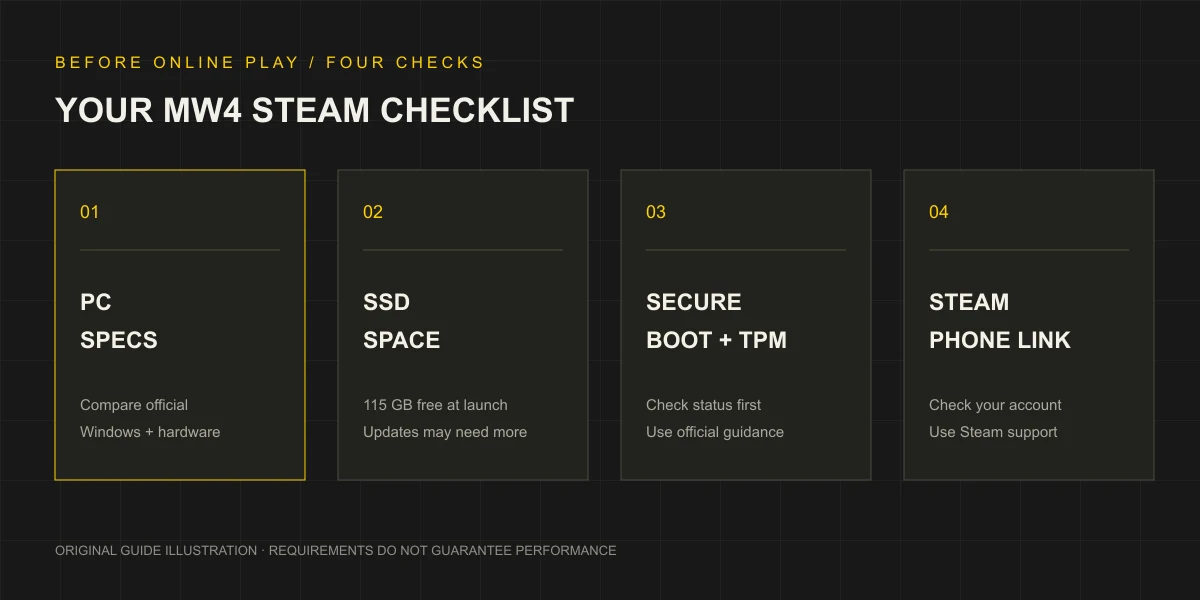
For MW4 not launching, distinguish an unfinished installation, account prompt, security warning or crash after opening. Record the symptom before reinstalling, which can erase useful context.
| What you see | First check | Where to continue |
|---|---|---|
| Steam is still downloading, updating or reporting insufficient space | The current operation and destination SSD | Download and storage guide |
| Secure Boot or TPM 2.0 is not detected | Windows status and the exact warning | Security checks and official guidance |
| A phone number must be linked | Which account the prompt identifies | Steam phone-number help |
| No named prompt; files may be incomplete or damaged | Steam’s file-integrity check | Follow the steps below |
| A repeatable crash or named anti-cheat/driver error | Exact message and when it happens | Record the evidence and use official support |
Match the visible symptom; a store requirement does not explain every error.
Checks Before Changing Settings
Let Steam finish active installations or updates and read any error. Confirm the intended account and library; resolve a storage problem before investigating launch failures.
Compare CPU, GPU, RAM, Windows and the destination SSD with the official requirements, keeping Steam’s and the publisher’s recommended NVIDIA entries separate. One match is not a whole-system pass.
Change one item at a time; repeat the action and record the result.
Verify the Game Files in Steam
Check installed files in Steam, avoiding third-party replacements:
- Open the Steam Library.
- Right-click the game entry, or use its gear menu, and open Properties.
- Select Installed Files.
- Choose Verify integrity of game files and wait for the operation to finish.
- Read the result, let any required Steam operation complete, then retry the same launch action.
Local configuration files can normally fail verification; read the result accordingly. Avoid other intensive operations during the check, which cannot resolve every crash. Steam’s file-verification instructions.
For an unchanged failure, take its exact wording to support.
Secure Boot and TPM Warnings
Follow the security guide from read-only Windows checks through Activision’s Secure Attestation Wizard to the matching hardware guidance.
Activision restricts online modes without the required configuration. This neither establishes that MW4 cannot open nor explains every crash. Activision security support.
Do not clear TPM, disable security or change boot settings as generic fixes; match the warning and hardware.
Phone Number and Account Prompts
MW4’s Steam listing requires a phone number linked to your Steam account. Follow the official account route and number requirements; this site does not collect numbers.
Use the named account system; phone requests do not call for driver or BIOS changes.
Online play requires an Activision account. For access or progression issues, check the linked profile: progress remains on the original Activision account after Steam is linked to a different Activision account. MW4 account guidance.
Avoid experimental unlinking: it is normally limited to once every 12 months and may be restricted for enforcement or suspicious activity. Use official support for account access/ownership. Activision’s account-linking rules.
Crashes, Shaders, Drivers and Anti-Cheat Messages
Save the exact error and stage: before opening, setup, menu or joining a mode. Record any preceding update and approximate time.
For recurring PC crashes, Activision recommends checking minimum requirements and recommended graphics drivers, keeping the PC ventilated and closing background apps. Its MW4 crash support article warns that third-party input-remapping, overlay and recording software may interfere with gameplay or boot, even when not running at game startup. It suggests uninstalling those types of applications for persistent crashes.
These suggestions do not diagnose every shader, driver or anti-cheat error. Retain the error; avoid generic repair executables and deleting unfamiliar folders.
Contact Activision Support for game issues or Steam Support for installation/accounts. Include platform, error, stage, system details and attempted steps. Redact screenshots; exclude passwords and SMS codes.
QUICK ANSWERS
Launch & crash help: common questions
What should I try first if MW4 is not launching on Steam?+
Note whether Steam is still installing or updating and save any exact error. Match a named security or phone prompt to its guide. If the files may be incomplete, use Steam Properties, Installed Files, Verify integrity of game files.
Where is the Steam file-integrity check?+
In the Steam Library, right-click the game or use its gear menu, open Properties, select Installed Files and choose Verify integrity of game files. Wait for Steam to finish before retrying.
Will enabling Secure Boot fix every crash?+
No. Secure Boot and TPM 2.0 are specific online security requirements. Check them when the relevant warning appears; they are not a confirmed explanation for every crash.
What should I send to official support?+
Include Steam as the platform, the exact error, when it occurs, relevant PC and Windows details, and the steps already tried. Redact private information from screenshots and never send a password or SMS code.
Can overlays or input-remapping software affect MW4 startup?+
Activision warns that third-party input-remapping, overlay and recording software can interfere with gameplay or the boot process. Its PC crash guidance recommends closing background apps and checking graphics drivers, and suggests uninstalling such software for persistent crashes. This is a troubleshooting route, not a diagnosis of every failure.
Should I unlink Steam to fix an account prompt?+
Do not use unlinking as a routine fix. Check the linked Activision account first. Activision normally limits unlinking to once every 12 months, may apply security restrictions and does not transfer existing progression when Steam is linked to another Activision account.
EVIDENCE & UPDATES
Sources behind this guide
Official information is separated from our editorial recommendations. Reviewed on October 23, 2026; updates may change the requirements or terms.
- Modern Warfare 4 on Steam MW4 Steam product details, purchase requirements and launch specifications. Prices depend on region; current USD and HKD checkout quotes remain unverified.Source checked
- Verify Integrity of Game Files Steam Properties → Installed Files verification procedure. A troubleshooting check, without a guarantee that it resolves every crash.Source checked
- Modern Warfare 4 PC Trailer, Tech Updates, and More Publisher PC specifications and 115 GB available SSD space. Its recommended RTX 3060 Ti differs from Steam’s reviewed RTX 3060 listing.Source checked
- TPM 2.0 and Secure Boot for Call of Duty MW4 online security requirements, Windows checks, Secure Attestation Wizard and manufacturer guidance. This does not establish an offline-mode ban.Source checked
- Steam Guard Mobile Authenticator and Phone Numbers Steam phone setup, international format, SMS delivery and VoIP exclusions. General rules do not confirm every MW4 carrier’s eligibility.Source checked
- Crashes or Game Freezes in Modern Warfare 4 Official MW4 driver and interference checks for overlays, recording and input remapping. Not proof of a universal crash fix or a Steam Input fault.Source checked
- Modern Warfare 4 In-Game Account Registration MW4 online Activision account, crossplay and cross-progression requirements. Progress stays with that account; shared licences and paid-content transfers are not established.Source checked
- Managing Your Activision Account Activision linking rules: one account per provider, normal 12-month unlinking limit and security restrictions. Unlinking does not transfer progression or repair installation.Source checked